


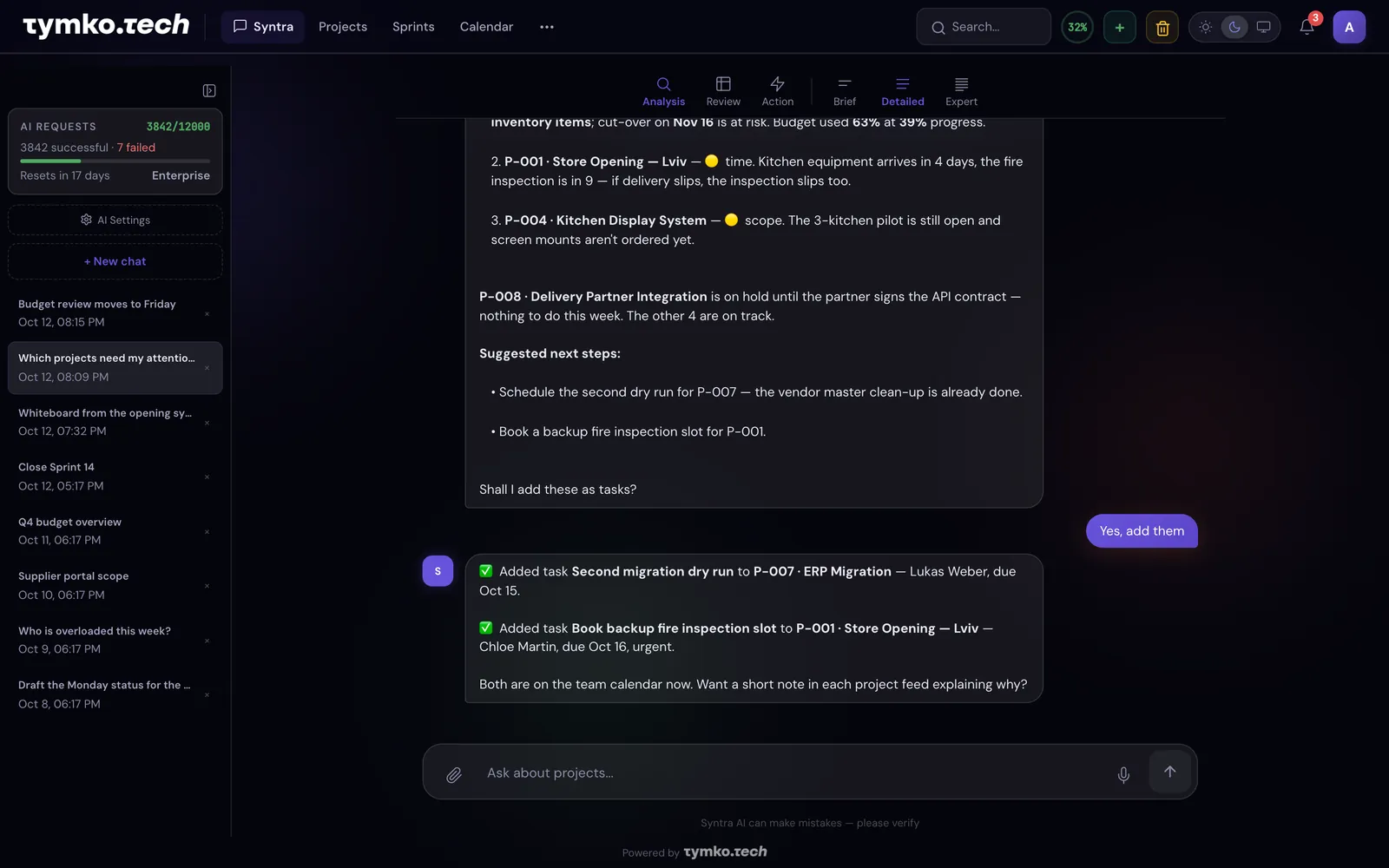
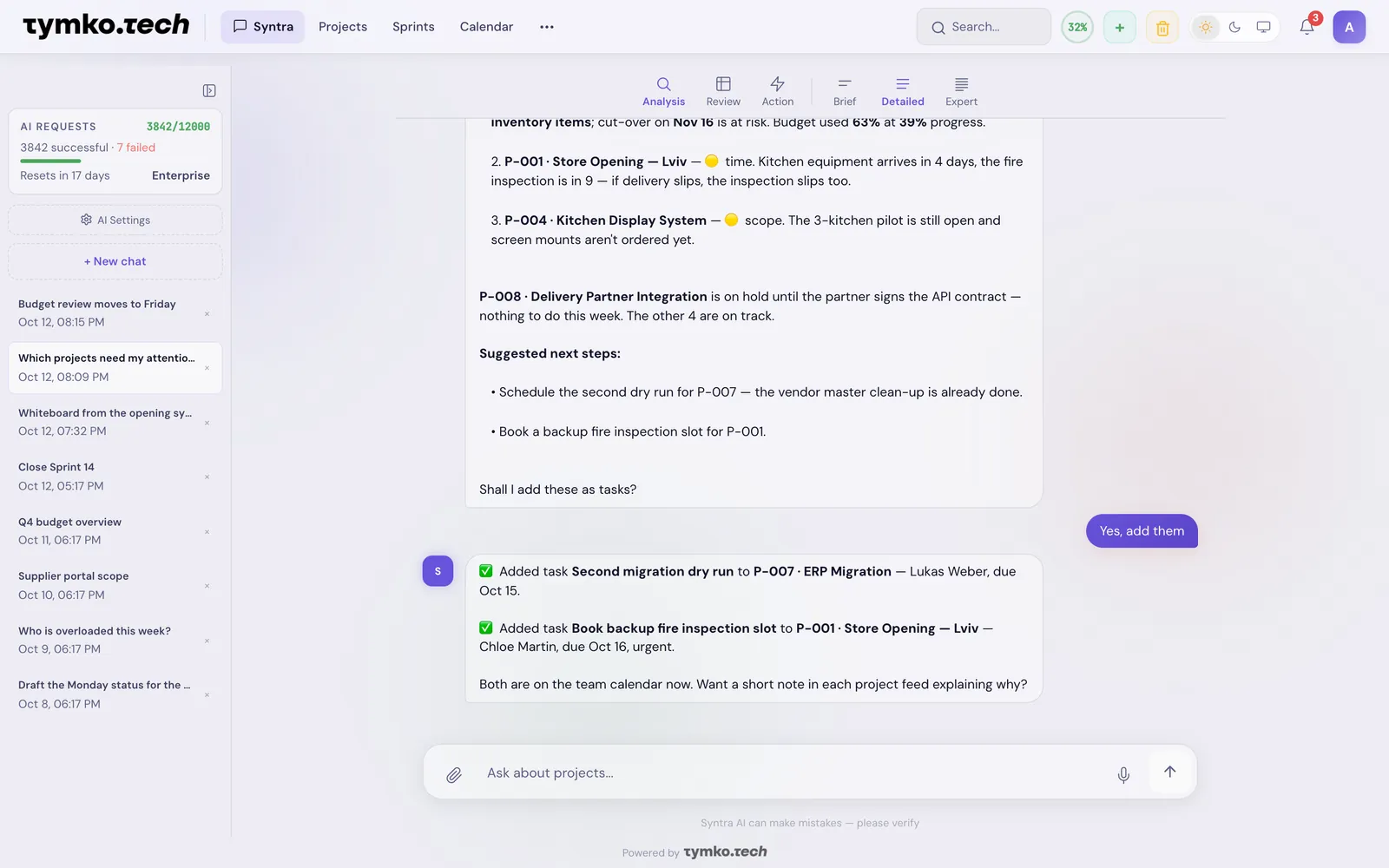
Syntra keeps every task, risk, document and decision in one place. Ask what is burning and get the answer in seconds. Say yes, and it adds the tasks itself.
- Free for 3 people
- No card needed
- Set up in 5 minutes
 SyntraProjectsSprintsCalendarA
- P-007 ERP Migration — cut-over on Nov 16 at risk, budget 63% used at 39% progress
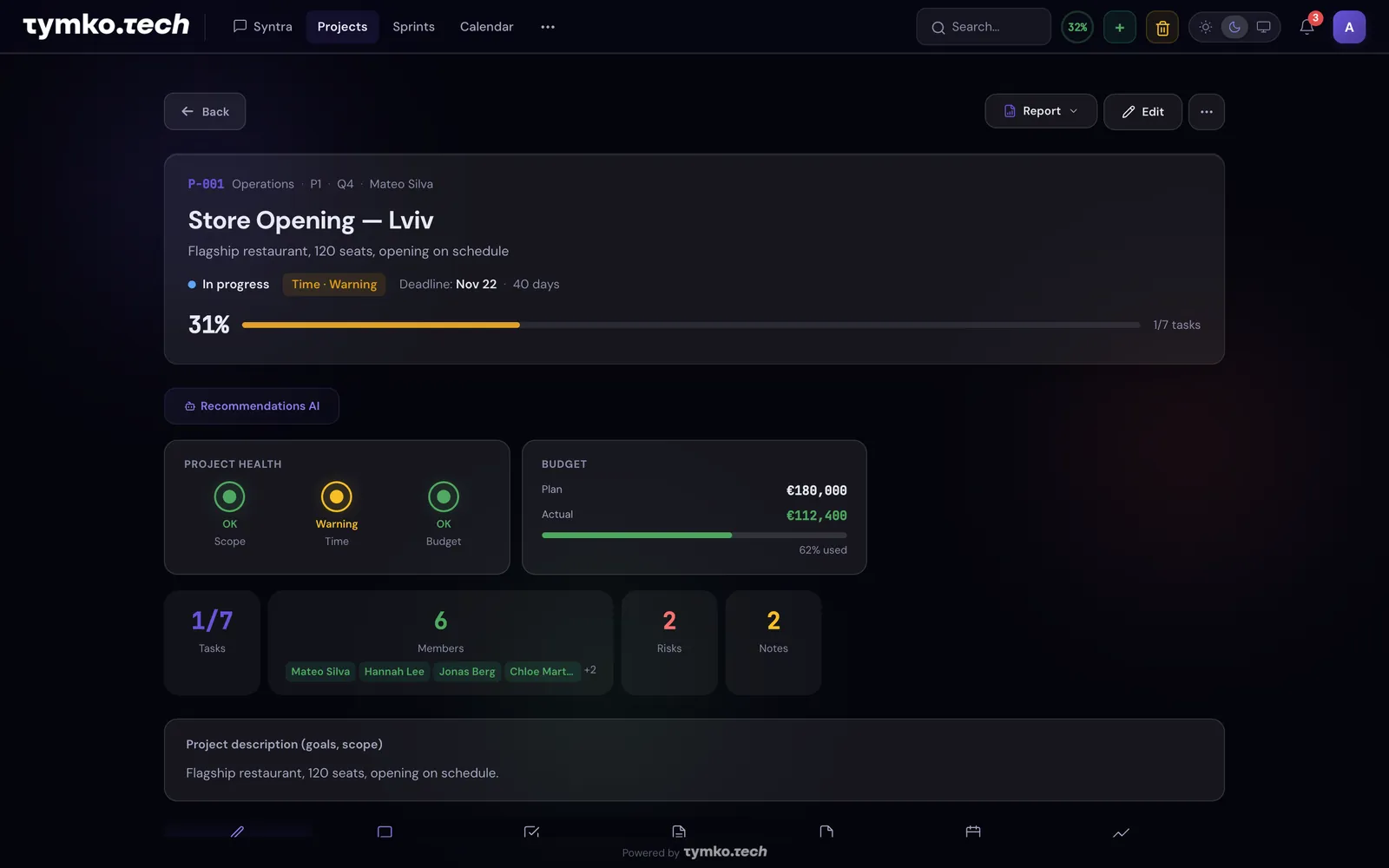
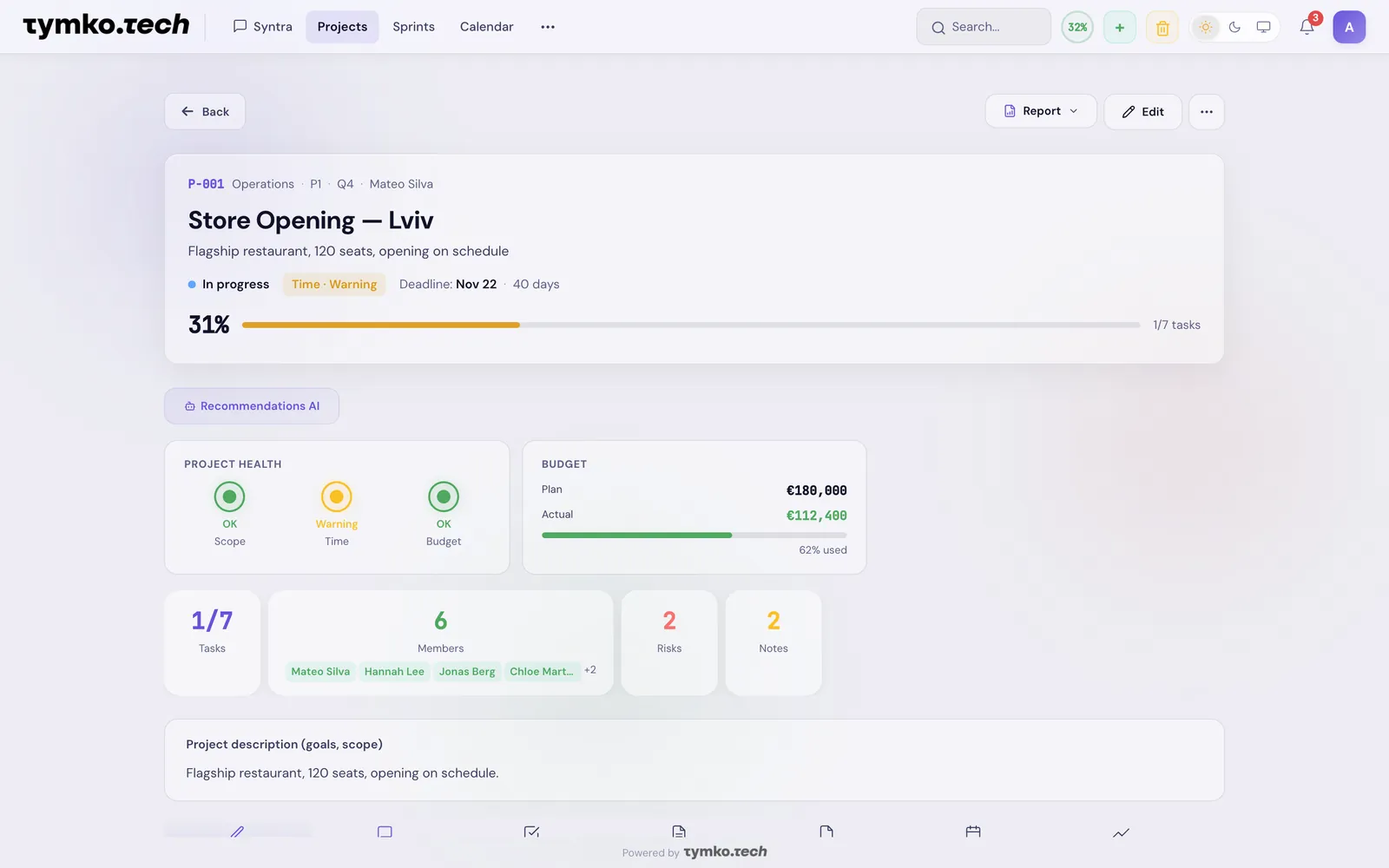
- P-001 Store Opening — fire inspection slips if the kitchen delivery does
- P-004 Kitchen Display — screen mounts not ordered yet
Shall I add a backup inspection slot and a delivery check to Store Opening?
Your Claude now knows your projects
Everyone on your team can connect the AI assistant they already use, such as Claude or ChatGPT. It works with your projects in Syntra right in the conversation.
Listed in the Claude connector directoryMove the ERP go-live to Friday and add a supply risk
Done: the go-live is now Friday, November 20, and the project has a new Supply risk.
Syntra · P-007 ERP Migration- Deadline
- Mon, Nov 16Fri, Nov 20
- Risks
- Data migrationSupply
- 01
Open Syntra in the Claude directory
- 02
Sign in to Syntra
- 03
Ask about your projects right in the assistant
The assistant sees only what you can see.
- Google Calendar
- Outlook
- iCal
- Telegram
- Jira
- GitHub
- Worksection
- Creatio
- Webhooks
- REST API
- OAuth 2.0
- MCP
- Excel
The status meeting you no longer need
Every project manager knows the week: chasing updates across chats, spreadsheets and mail. Here is what changes.
- 01Collecting statuses from Excel, mail and chats
Ask once, get the whole portfolio
Syntra reads every project and tells you what slipped, what is at risk and who is overloaded.
- 02Nobody remembers what was decided
Every decision has a source
Meeting minutes, documents and notes are indexed. The AI quotes where a decision came from.
- 03Risks show up when they are already a crisis
Warnings before the deadline
Health lights, deadline reminders at 9:00 your office time and a morning digest in mail or Telegram.
Everything a project office does, in one workspace


An assistant that knows every project
Ask in plain words. Syntra answers from tasks, risks, documents and meetings, then creates the tasks when you agree. Risky actions always wait for your confirmation.


Sprints per department
Board, burndown, velocity and capacity without setup. Planning shows who has room before you commit.


Find a time in one click
Google, Outlook and iCal side by side. Every slot is shown in your office time zone, labelled.


Portfolio health at a glance
Progress, budget and trends for every project, with an AI forecast of what slips next.


Drop a file, ask a question
PDF, DOCX and XLSX are read, tagged and searchable by meaning. Answers quote the source.


Dictate instead of typing
Speak a task or a question in the browser or in Telegram. Syntra turns it into tasks with owners and dates.
Ask what a project manager asks
Shall I add a second dry run for P-007 and a backup inspection slot for P-001?
From sign-up to your first AI report in one afternoon
- 01
Bring your projects
Create projects or import them from Jira, Worksection or Excel. Add documents, invite the team.
- 02
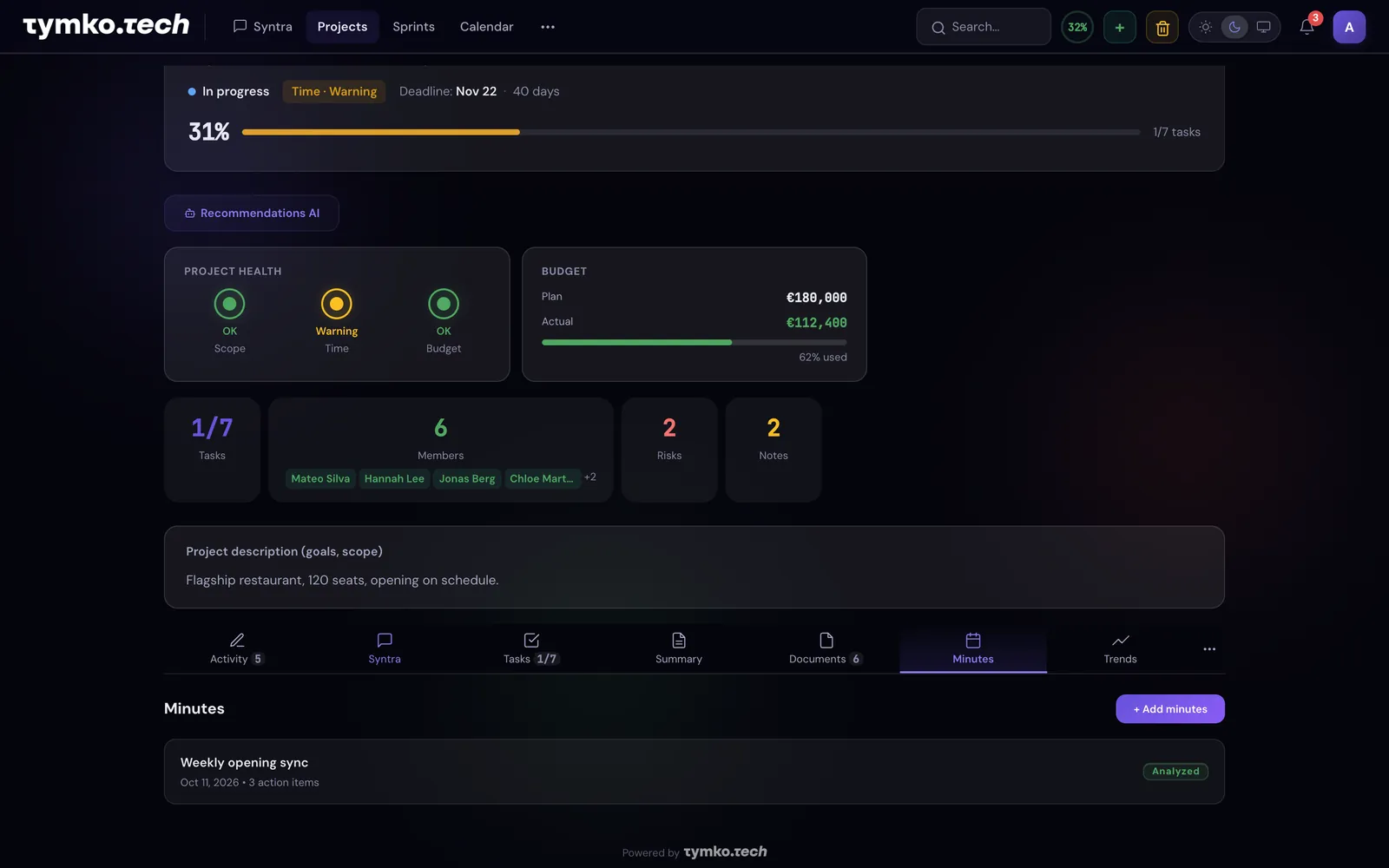
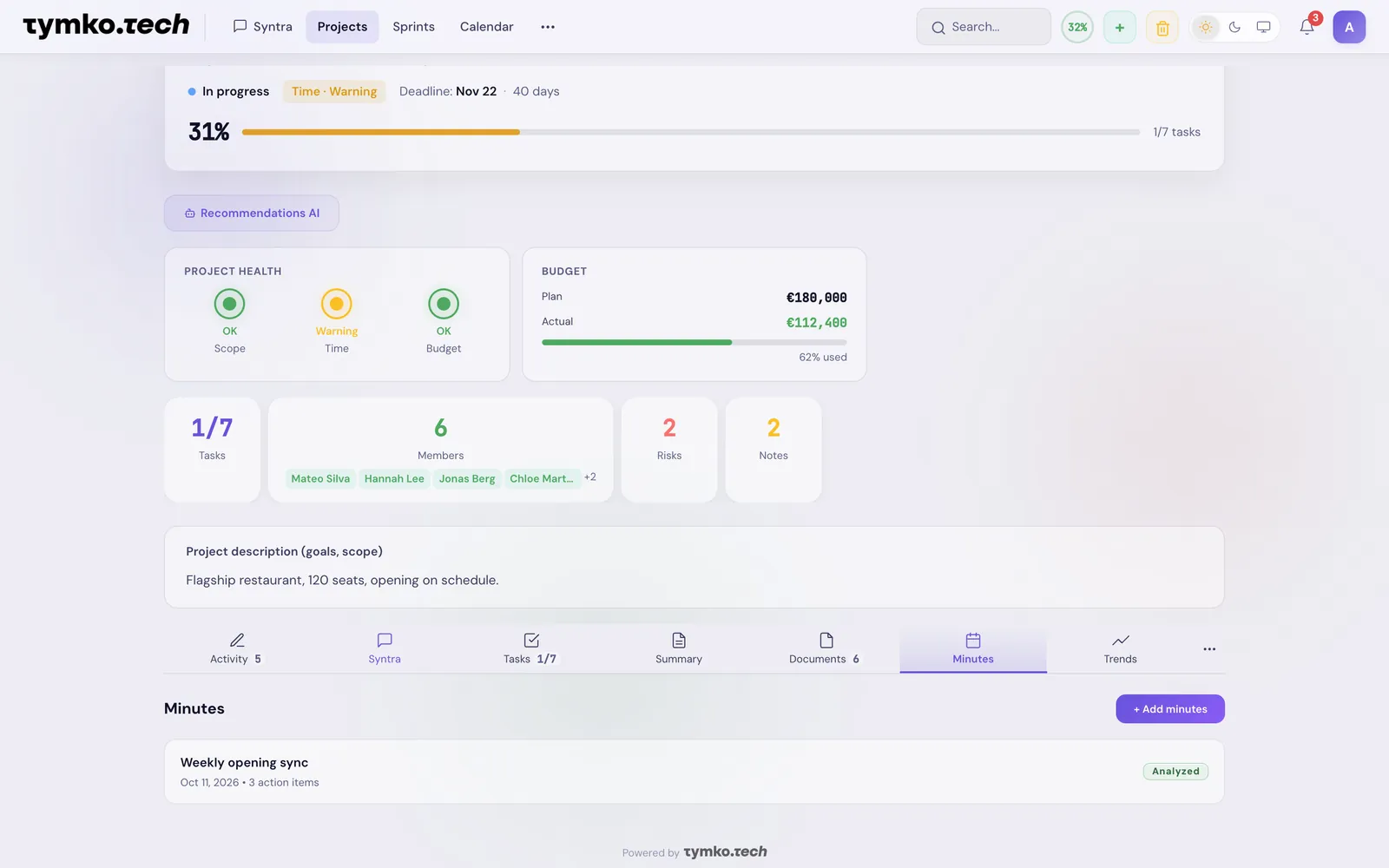
Syntra reads everything
From documents and meeting minutes Syntra pulls out tasks and risks and fills the board. Indexed for your company only.
- 03
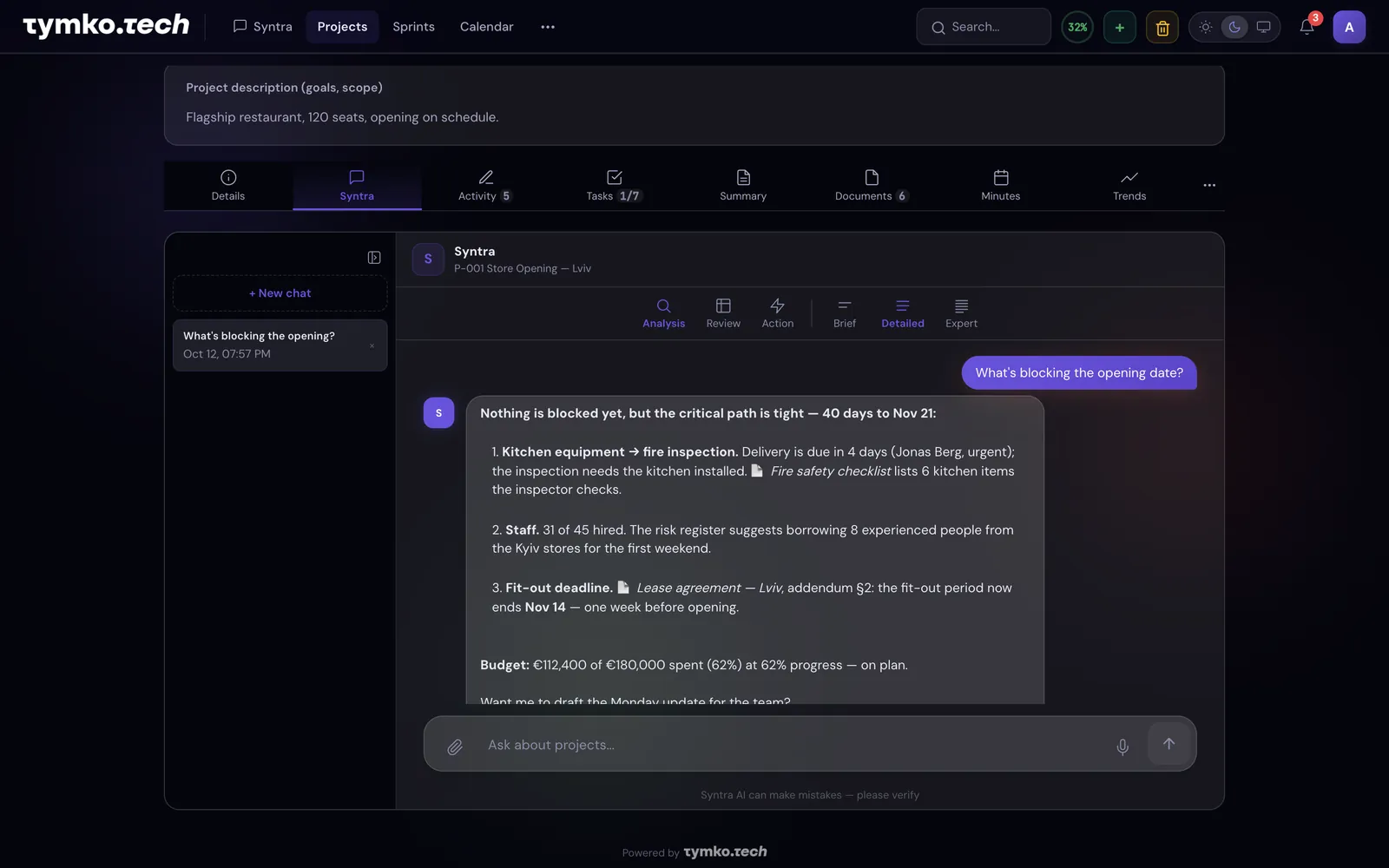
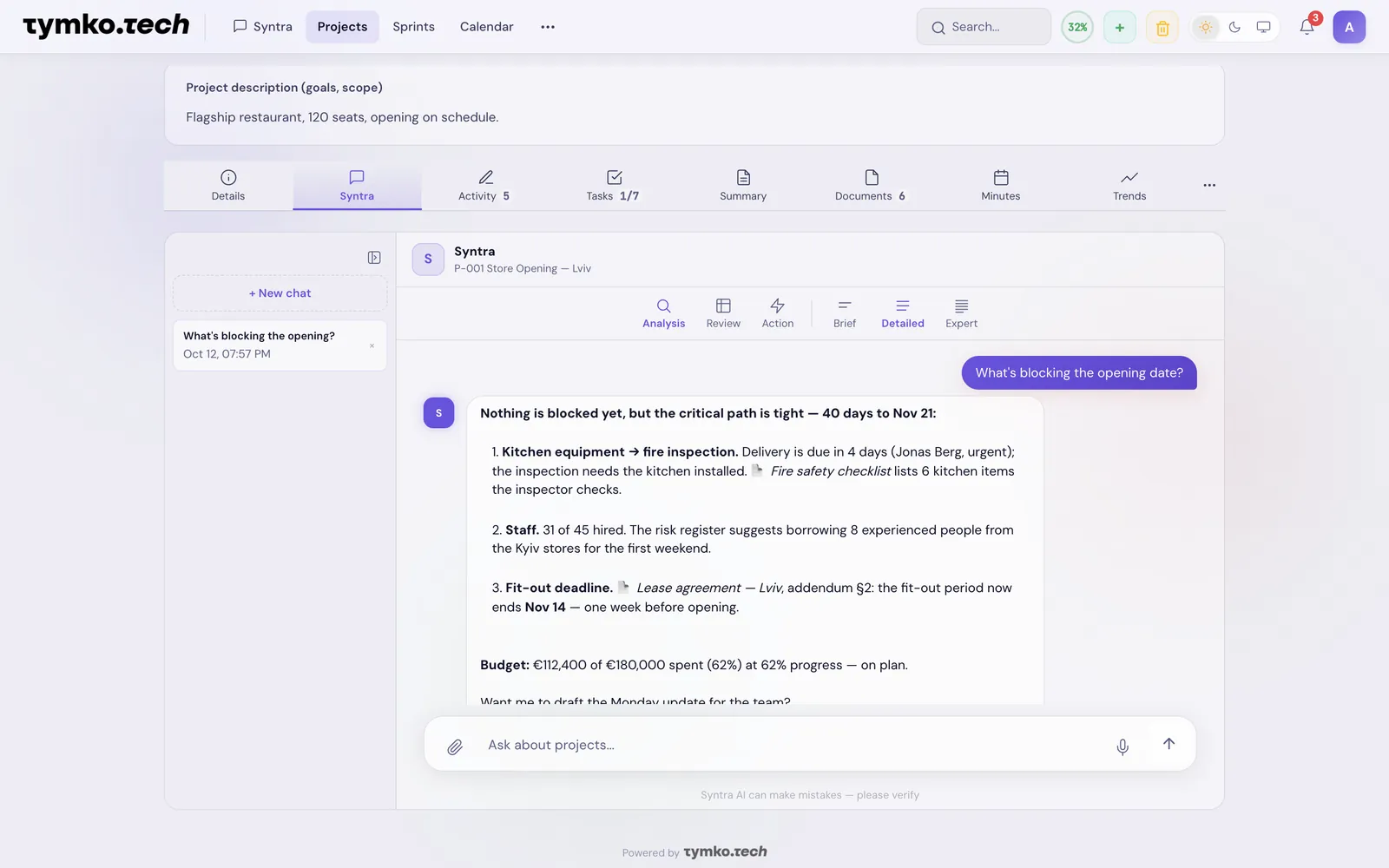
Ask, decide, move on
Reports, risks and next steps on request, in the app, in Telegram or by voice.


- 8interface languages, AI answers in yours
- 3calendar sources: Google, Outlook, iCal
- 24/7AI in Telegram, text and voice
- 0€to start, for up to 3 people
Your data stays yours
Every company works in its own isolated space. AI models are never trained on your documents.
Encrypted everywhere
TLS 1.3 in transit, AES-256 at rest.
Company isolation
No client ever sees another's data.
Roles and access
Company, department, project and document level.
Two-factor sign-in
TOTP codes and an audit log of every change.
Integrations with your systems
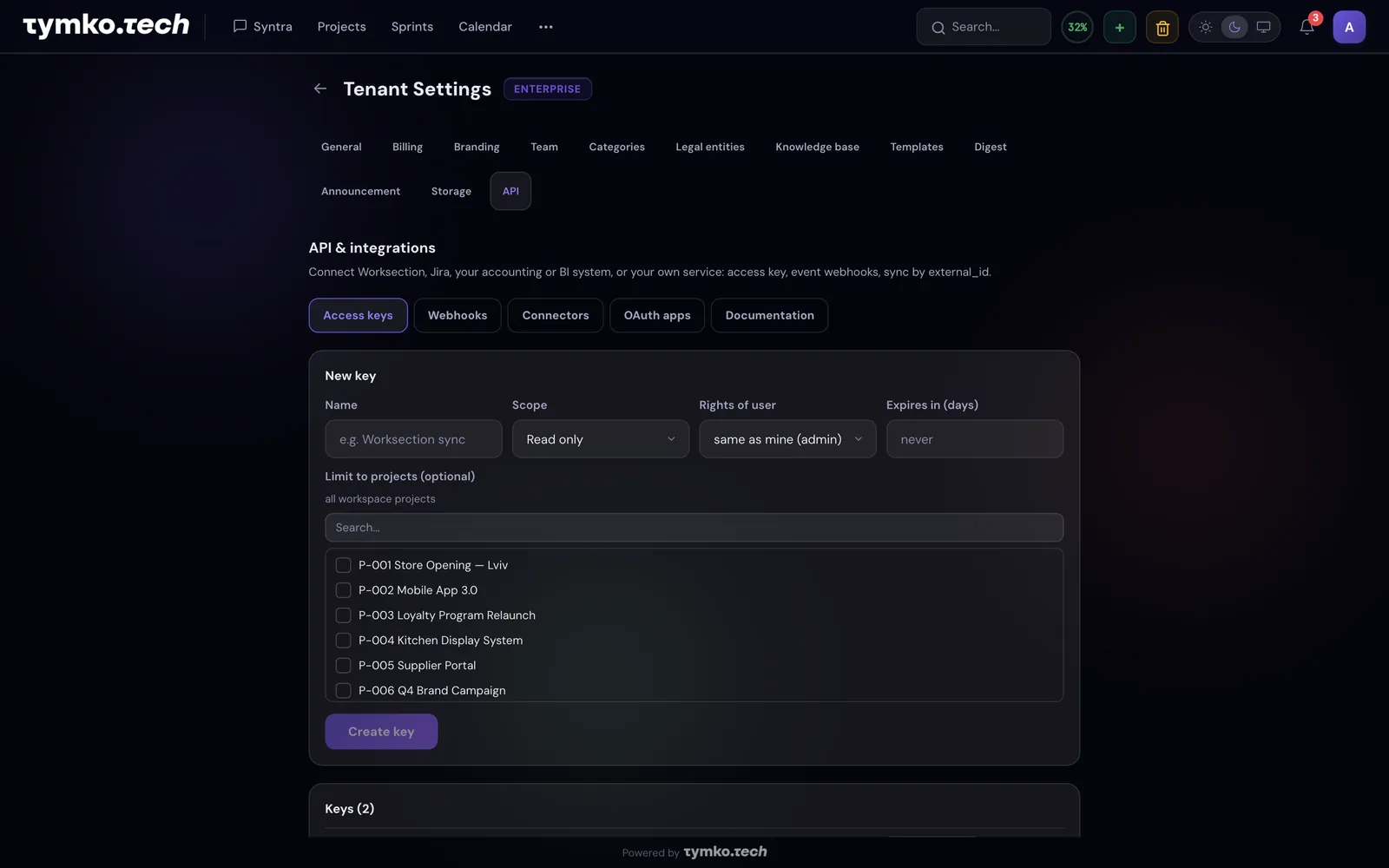
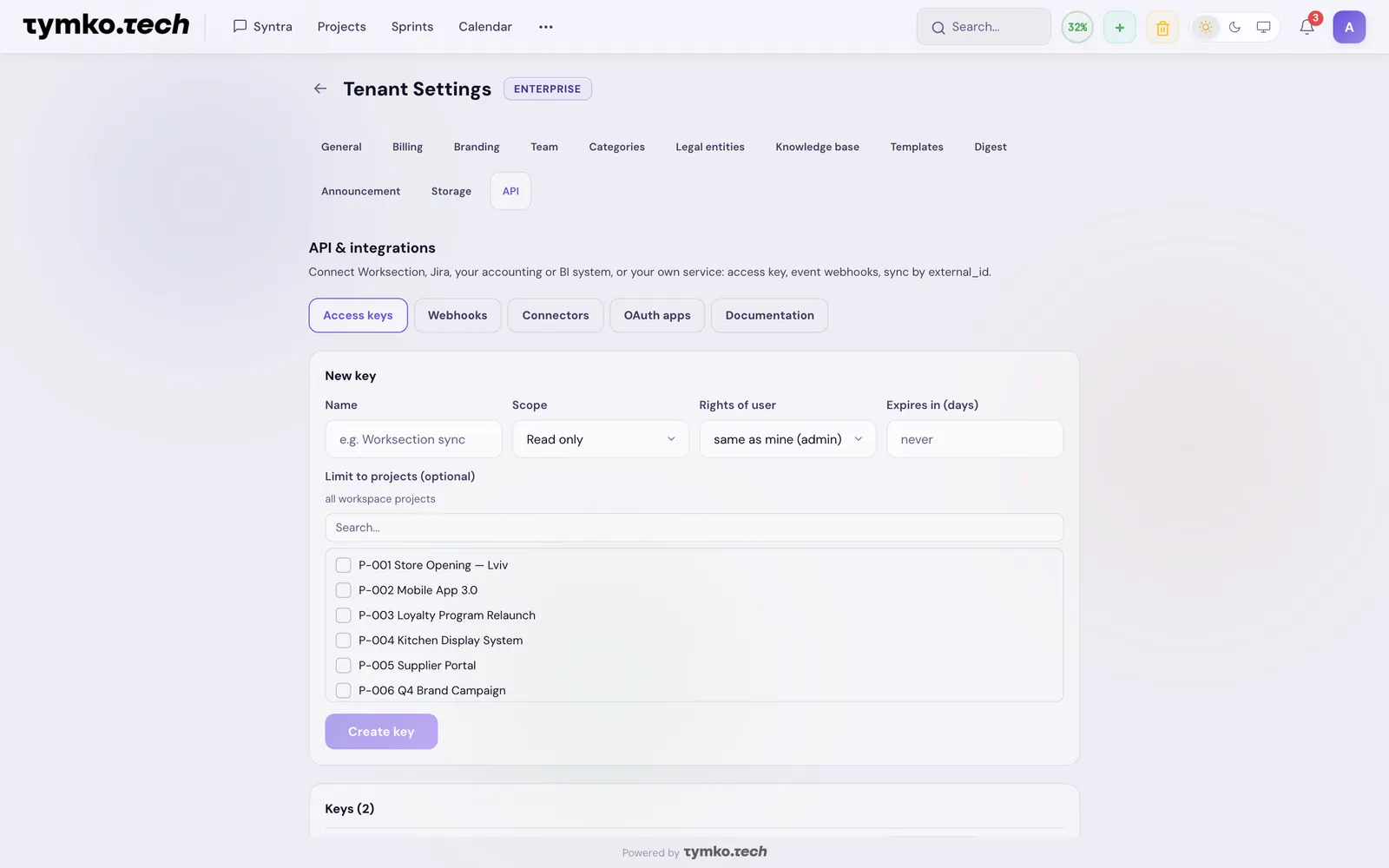
Syntra doesn't replace your tools, it works alongside them. Tasks stay in sync, events flow to your services, and an AI assistant connects in a minute.
- 01
Built-in connectors
Worksection, Jira, Creatio, GitHub: two-way task sync with no code. Nothing gets deleted, no duplicates.
- 02
Webhooks
Create or change a project or task and Syntra instantly sends a signed message to your URL: BI, ERP, Slack, your own service.
- 03
REST API and OAuth 2.0
Projects, tasks, risks and sprints in your own systems and apps; details are in the app's documentation.
- 04
Connect AI assistants
Syntra is listed in the Claude Connectors Directory, and ChatGPT connects in a minute too. Ask about projects, tasks, risks and sprints right in the assistant — it sees exactly what you see.
Claude and ChatGPT on every paid plan, other integrations on Enterprise.
Start free. Pay when the team grows.
Prices per month, VAT excluded. Extra AI requests: €25 per 500 on any paid plan.
- Projects, tasks, risks, notes
- Kanban and PMBoK templates
- AI chat that creates tasks
- Your logo and colours
- Everything in Free
- Project health lights
- Document search and versions
- Telegram bot, image analysis
- Excel and PDF export, 2FA
- Your own AI assistant: Claude, ChatGPT
- Everything in Starter
- AI forecasts and «What's burning»
- Departments, roles, audit log
- Deadline reminders, @mentions
- Knowledge base, auto-tags
- Everything in Business
- API, webhooks, connectors
- Voice input, web and Telegram
- Priority support
Several companies in a holding? €6 per user per month, with separate AI limits for each legal entity.
Talk to usCan the AI change anything without my confirmation?
No, risky actions such as deletions or bulk changes always wait for your confirmation. The assistant has three modes: Analysis, Review (it only checks and every change is blocked; from the Business plan) and Action (it creates tasks and updates statuses).
Are AI models trained on our documents?
No, AI models are never trained on Syntra customers’ documents or data. Requests to the assistant are processed by the sub-processor Anthropic (USA), and document text for search by meaning by OpenAI (USA); both are on the sub-processor list.
Where is Syntra data stored?
Syntra platform data is hosted in Ukraine, by the hosting provider Hosting Ukraine. The sub-processors for AI (Anthropic, OpenAI), e-mail (Resend) and payments (Stripe) are in the USA, and error monitoring (Sentry) is in the EU, in Germany. The full list is on the sub-processors page.
Can I connect an external AI assistant to Syntra?
Yes: you can connect Claude or ChatGPT to Syntra in a minute and ask about your projects right in the assistant. It comes with every paid plan; the step-by-step guide is at Connect Syntra to Claude and ChatGPT.
Which currency are the prices in?
Syntra prices are in euros excluding VAT: Starter €49, Business €149 and Enterprise €399 per month, and Free costs nothing. Payment is by card through Stripe, and on the Business and Enterprise plans also by invoice.
Run your next project with Syntra
Free for up to 3 people. No card. Your first AI report today.
Start free